
Free manager for Nokia devices
Nokia PC Suite is a free management software for Nokia mobile phones developed for Microsoft Windows PC computers and laptops. You can manage your mobile content on a PC desktop screen with Nokia PC Suite. The freeware lets you transfer items between your mobile device and PC.
Top Recommended Alternative

While you can still use Nokia PC Suite, the freeware is discontinued. Nokia Ovi Suite is the official replacement for the Nokia PC Suite. Nokia Ovi Suite is often called Nokia Suite. Nokia Care Suite is an additional PC tool that lets you update your Nokia phone. You can get the Nokia Software Recovery Tool to resolve issues with your Nokia operating system.
What does Nokia PC Suite do?
Nokia PC Suite is an all-in-one organizer for your Nokia OS. The convenient user interface lets you manage your calendar, calls, contacts, emails, files, images, music, text messages, and videos. You can back up the information from your Nokia onto your PC and various phone models. Nokia PC Suite also lets you create an internet connection with your Nokia accessory.
You can conveniently install Java and Symbian SIS applications onto your Nokia phone from your desktop screen. Nokia PC Suite lets you download maps from the internet. All of the commands are available as icons on the main screen. Additionally, you can open each service from the ‘File’ tab. A brief description is available when you hover above the images on the main screen.
The calendar is a popular utility that lets you organize your calendar entries. The messages service lets you write and send text messages directly from your PC. You can share multimedia content in the messages.
Nokia Communication Center is integrated into Nokia PC Suite. The Nokia Communication Center will launch when you manage your calendar, contacts, and messages. You can add, delete, and edit entries in each category.
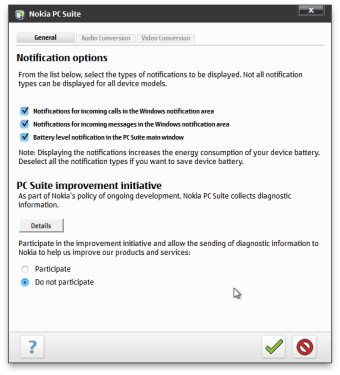
The main user interface delivers real-time notifications in the left panel. You can hover above the messages to read a preview. Additionally, you can tap the notification to open the message.
Additional features
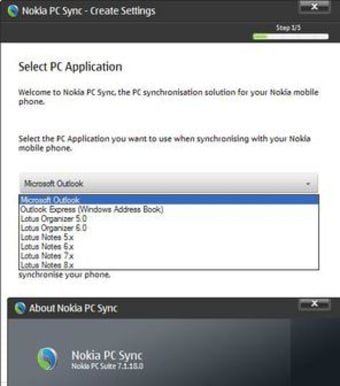
The file manager transfers items to and from your PC and Nokia phone. The synchronize option lets you sync your calendar appointments, contacts, emails, and notes with Lotus Notes, Lotus Organizer, Microsoft Outlook, and Outlook Express.
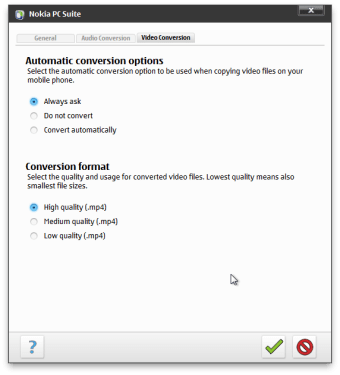
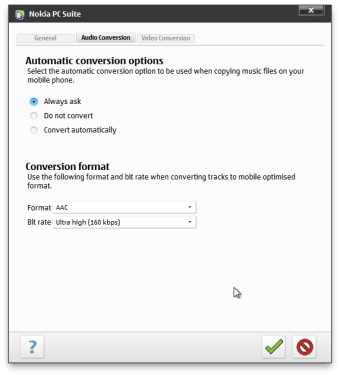
You can download music on the Nokia Ovi Music Player, and transfer video files from your PC to your portable device. Additionally, you can store images and videos on your PC from your handheld device.
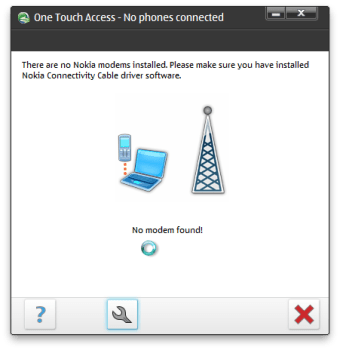
The connect to the internet option lets you easily establish a network connection for your PC from your phone. The ‘One Touch Access’ feature creates an automatic connection. A loading bar will appear to let you know when the autoconnection is complete.
The interactive user interface lets you drag and drop items onto the mobile phone image. Multiple commands have wizards that will appear. You can follow the steps to use each service.
How do I download Nokia PC Suite?
The Nokia PC Suite download is completely free. The free download is exclusively available for Windows operating systems. Additionally, only Nokia mobile devices are compatible with the Nokia PC Suite. You can download and install Nokia PC Suite on Windows 7, Windows 8, Windows 8.1, and Windows 10 operating systems.
How do I install Nokia mobile software?
The setup includes two main parts: installation and configuration.
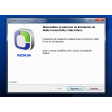
The setup for installation is easy to follow. You will need to accept the license agreement during the installation to use the app. The entire license agreement is available to read in the second step. The third step lets you choose a destination folder to save the program. You can open the browser to find a preferred location by clicking on the folder icon.
Nokia PC Suite will begin to install in step five after you confirm the installation in step four. The amount of time that the installation takes will depend on your operating system. You will be asked to configure settings to use your phone with the app once the installation is complete.
How do I connect my Nokia PC Suite?
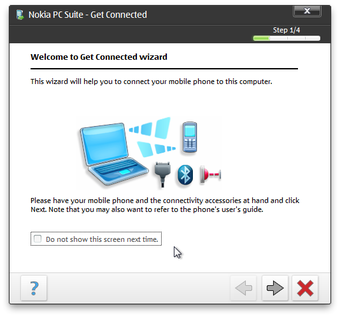
The utility lets you connect your cell phone to your PC. You can sync your phone to your PC with three connections. Nokia PC Suite lets you use a cable, infrared, or Bluetooth connection to link your devices together. You will need to make the phone discoverable for a Bluetooth connection.
The next window will list the detected devices. Sometimes a device that is not compatible with Nokia PC Suite will be detected. You can see the connected mobile accessory in the final step of the ‘Get Connected’ setup process. A demo is available to watch. You can open the demo by marking the box on the last step of the wizard.
The classic user interface will launch once you click the ‘Finish’ button. The name of the connected electronic device will be listed in the left panel. An image of the mobile device model will be shown. If you have not selected a device, then you can click on the phone image to establish a connection.
A comprehensive organizer for Nokia
Nokia PC Suite is lightweight in size despite being filled with features. The design is simple and easy to use. You can share multimedia content between both your PC device and mobile phone. The platform lets you view your mobile content on a larger screen to deliver a user-friendly user experience. Nokia PC Suite has a safe security status.
What’s new?
The developers do not deliver software updates to the platform anymore but you can still download and use Nokia PC Suite for Windows OS. The user interface includes an option to check for the most recent Nokia phone software updates and can press the updater to check the internet for the latest mobile updates.